
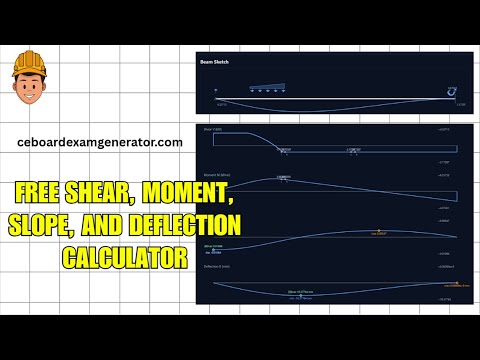
Learn how to use the Beam Solver app
Watch the complete walkthrough for setting spans, supports, loads, units, and reading the shear, moment, slope, and deflection results.
Multi-Span Beam Solver
Model continuous beams with any number of spans. Downward loads are positive.
Beam, Material & Mesh
Loads
Use + Load in the beam sketch. Select a load in the sketch to edit or remove it; the fields below stay in sync.
P and w are positive downward. Positions are measured from the beam's left end in m; forces are in kN.
For an inclined point load, enter its angle or any two sides of a slope triangle. The vertical component affects shear, moment, and deflection; the horizontal component produces axial force. Loads act through the beam axis.
Moving Load
Build the train from any mix of wheels and uniform loads, in order from front to back — a lane load behind an axle group is just wheel, wheel, uniform. Each item after the first sits its gap past the end of the one before it, so a gap of 0 butts them together. A uniform load may be trapezoidal: set w₁ ≠ w₂.
Drag the train on the beam sketch, or use the slider. Shear and moment redraw as it moves. The train rolls right off either end: a wheel past the end carries nothing into the beam, and a uniform load hanging over the end is cut at the end so only the part still bearing counts. That is how you park it with a single wheel biting the edge and the rest in mid-air.
Show / Hide
Beam Sketch
Tap a load, span, or support letter on the sketch to edit it. The shear, moment, slope, and deflection diagrams are shown below. Hover (or tap) an internal hinge to read the vertical and horizontal forces transmitted through it.
Evaluate at x
Enter a global x measured from the left end of the beam, or drag the slider. The span is detected automatically.
The slider activates once the beam is solved.
Point Evaluation (V, M, θ, δ at user points)
Probe Results
| Span | x (m) | V (kN) | M (kN·m) | θ (rad) | δ (mm) | Exact V | Exact M | Exact θ | Exact δ |
|---|
Results
The inputs have changed since this was computed - press Compute to update these results.
Left Support
Rleft (kN), Mleft (kN·m)
— / —
Hleft: — kN
—
Right Support
Rright (kN), Mright (kN·m)
— / —
Hright: — kN
—
Max Deflection
δmax (mm) @ x (m)
—
Stations (supports + midspans)
| x (m) | V (kN) | M (kN·m) | δ (mm) |
|---|